Skip to content

Pueblo West, Colorado

Business IT and Security for Pueblo West

Plan the network, cybersecurity, cameras, and door access around the way your office, shop, or commercial property actually works.

Scheduled on-site service from Fountain, planned around the property and project.

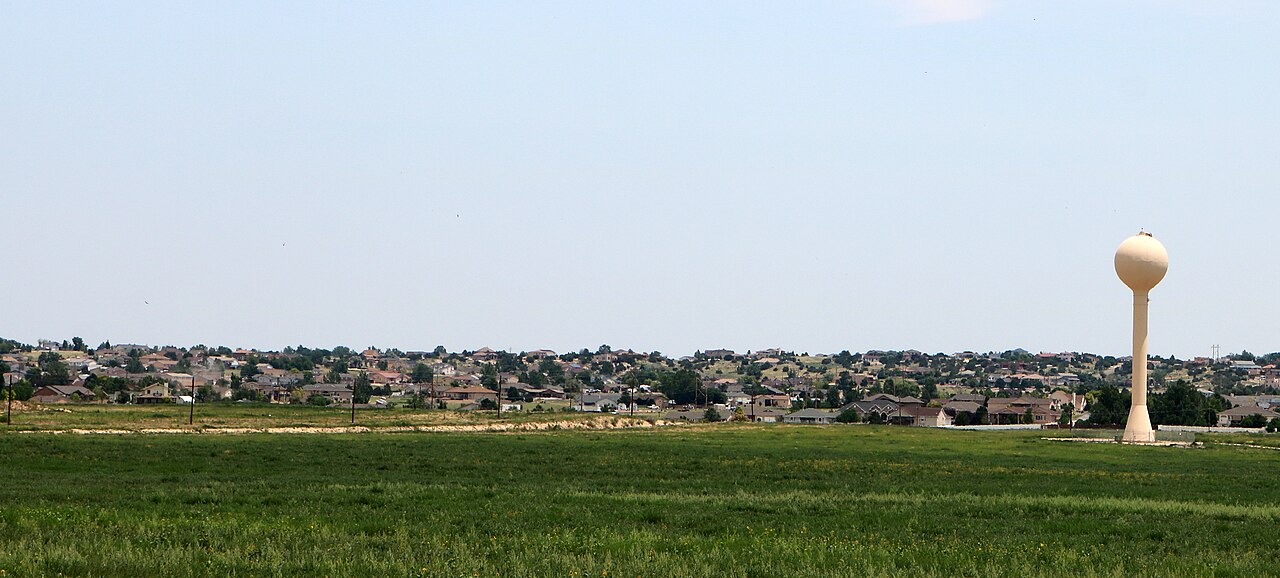
Panoramic view across Pueblo West, Colorado
A panoramic view across Pueblo West, an unincorporated community in Pueblo County (2017).Photo: Jeffrey Beall. Source · CC BY 4.0. Framed to fit.

Built around the site

Practical technology for a broad, growing community

Pueblo West is an unincorporated community in Pueblo County served by the Pueblo West Metropolitan District, rather than a separate city. The community spans a broad area west of Pueblo, so a useful technology plan starts with the exact property, building layout, and work areas instead of assumptions based on the mailing address. Sources: Pueblo West Metropolitan District: formation and governance, Pueblo West Metropolitan District: about Pueblo West.

Pueblo County planning documents describe retail, service-commercial, and light-industrial growth along the Highway 50 corridor between 2000 and 2019. For a business moving into a suite, expanding a shop, or taking over an inherited network, that makes early coordination valuable. Cabling, internet handoff, Wi-Fi, cameras, and access control should be planned before each trade makes an isolated decision. Sources: Pueblo County Regional Comprehensive Plan.

Build the network around the property people actually use

A technician working on network cables beside a patch panel
Cabling, connections, and testing planned as part of the installation.

A floor plan and equipment list are useful starting points, but they do not show how a Pueblo West property behaves during a normal workday. A site review can follow the internet connection from the provider handoff to the firewall, switches, access points, desks, cameras, and other connected equipment. It also gives the business a chance to identify the places where a call drops, a tablet disconnects, or a camera view becomes unreliable. Those details help separate a coverage problem from a capacity, cabling, power, or configuration problem before equipment is selected.

Shops, yards, and properties with more than one structure need extra care. Metal walls, machinery, exterior distance, mounting height, available power, and the radio path between buildings can all change the right answer. A wired connection may be appropriate where a protected route exists. A point-to-point wireless link can be considered when the path, capacity, mounting, and maintenance requirements work. GTZ can survey those conditions, map the work areas that need service, and design a network with clear boundaries for staff, guests, cameras, and operational devices.

Give cameras, doors, and remote access a defined purpose

Useful camera planning begins with a question at each location: what must a person be able to determine from the recorded image? A vehicle overview, a face at an entrance, activity around stored material, and movement through a gate are different objectives. GTZ can review those objectives with the operator, then consider field of view, distance, lighting, mounting, power, network capacity, and recording storage. Retention should be sized from the number of cameras, image settings, recording method, and the period the business needs, rather than chosen from a generic package.

Illustrative access groups
Access rulesOnly the connections each group needs
  • Office and field teamBusiness devices and approved resources
  • Work areasOperational equipment with defined access
  • Property systemsCameras, doors, and remote administration

The site plan defines the actual groups and permissions.

Door access has a separate workflow. The business needs to decide who may enter, on what schedule, how credentials are issued and removed, and what happens when power or connectivity is unavailable. Cameras and access control can share network infrastructure, but they should not receive broad access to office devices simply because they use the same switches. GTZ can plan segmentation, administrative roles, secure remote viewing, software ownership, and account recovery with the physical installation. Identity protection, endpoint security, email controls, and tested backups address the business systems on the other side of those doors.

Coordinate the technology before opening day sets the deadline

A new suite, expanded shop, or additional work area creates dependencies that are easy to miss when every vendor works from a separate checklist. The internet provider needs a demarcation and an activation date. The network needs rack space, power, cooling, cabling, and a firewall configuration. Phones, computers, printers, cameras, door access, and meeting equipment each need assigned ports, permissions, and an owner. GTZ can turn those pieces into one scope, identify which party supplies each prerequisite, and put testing in the sequence before employees depend on the new location.

Early planning also gives the business a fair way to evaluate existing equipment. A switch or camera does not need replacement only because a location is changing. It does need to be identified, accessible, supported, and suitable for the new design. GTZ can document models, subscriptions, administrative credentials, warranty or support status, and current configuration. The resulting plan can distinguish items that are safe to retain, items that create a near-term risk, and improvements that can wait. For a Microsoft 365 environment, the same planning can cover accounts, devices, shared files, email, and employee access through the move.

Leave the business with a system that can be operated and repaired

  • What needs to keep running?
  • What must be recoverable?
  • Who owns the next step?

A clean installation can still become difficult to support when nobody knows which provider owns the circuit, where the firewall credentials are kept, or what changed before an outage. GTZ can document the internet service, network map, equipment locations, subscriptions, administrative roles, device inventory, and vendor contacts as part of onboarding or a project handoff. Labels and current configuration records make later troubleshooting more direct. They also reduce dependence on the memory of one employee or the availability of the person who originally installed the system.

Continuity planning should cover more than internet uptime. A business may need to recover a deleted file, restore a computer, replace a failed switch, remove a former employee, or continue a priority workflow while a provider problem is investigated. The right response depends on the operation and its tolerance for interruption. GTZ can help define backup and recovery priorities, patching, monitoring, account procedures, replacement planning, and escalation paths. Remote support may resolve software and account issues after onboarding, while cabling, failed hardware, signal measurement, and physical installation are scheduled for on-site work when required.

Scheduled technology work across Pueblo West

Pueblo West covers a broad area, with commercial activity along the Highway 50 corridor and business properties throughout the community. A useful plan starts from the exact address, building access, work areas, and systems involved. That preparation gives each visit a clear purpose and makes room for the property conditions that drawings and equipment lists cannot show.

Highway 50 commercial properties

A tenant improvement, office move, retail opening, or service-business expansion may involve a carrier handoff, structured cabling, secure Wi-Fi, computers, phones, cameras, and door access. Planning those dependencies together can reduce late changes and make acceptance testing part of the opening plan. Sources: Pueblo County Regional Comprehensive Plan.

Occupied offices and customer spaces

An established office, storefront, or service location may need improvements while it remains open. The scope can account for existing finishes, employee and customer activity, equipment worth retaining, safe cable routes, and a cutover sequence that gives each affected system a defined acceptance check.

Shops, yards, and multi-building properties

A shop or light-industrial property may combine office desks, machinery, storage, exterior work, gates, and separate structures. Network coverage, building links, operational-device access, camera views, lighting, mounting, and power can be evaluated together so the design follows the full work area instead of stopping at the office wall. Sources: Pueblo County Regional Comprehensive Plan.

Technology plans shaped around the operation

The same firewall or camera model can serve very different workflows. Discovery should begin with the people, spaces, devices, and interruptions that matter to the business, then select services and equipment that fit those needs. The result should fit current work, be understandable to the team, and leave a sensible path for expansion.

Professional and service offices

A practical plan can cover employee accounts, Microsoft 365, protected file access, phones, printing, guest Wi-Fi, meeting areas, and support for people working away from the office. Clear onboarding and offboarding steps keep account and device access aligned with staffing changes.

Explore support

Shops, contractors, and light-industrial workspaces

Consider the office and production or storage areas as one property with different access needs. Wired connections, surveyed Wi-Fi, cameras, gates, mobile devices, and operational equipment can be planned without putting every device on one unrestricted network.

Explore support

Retail and customer-facing businesses

Staff devices, payment equipment, guest access, cameras, displays, and background audio each need the right connection and permissions. A coordinated design can give customers a useful experience while keeping business administration on its own protected path.

Explore support

Projects we can scope

Start with the situation, then design the system

Examples of how GTZ can turn a business change into a scoped technology project in Pueblo West.

Open or expand a commercial space

GTZ can scope the low-voltage plan before move-in, then coordinate the network and security cutover around the opening schedule.

  • Document internet and cable handoffs
  • Place switching, Wi-Fi, cameras, and door hardware
  • Test and label the finished system

Connect an office and work area

Metal walls, machinery, and the distance between buildings can change where Wi-Fi reaches. We survey the spaces where people work, compare wired and wireless building links, and check mounting, power, and cable paths before choosing equipment.

  • Measure coverage where work happens
  • Separate staff, guest, camera, and operational traffic
  • Choose wired or wireless building links from site evidence

Plan camera views around the yard

Start with the gates, storage areas, and vehicle routes you need to see. We plan camera views, lighting, mounting, power, and network connections around those locations.

  • Agree what the footage needs to show at each location
  • Check daytime and nighttime conditions before choosing equipment
  • Review gate-access options separately with the operator

What a coordinated Pueblo West project could look like

An illustrative project. Your site assessment determines the final scope.

The situation

Consider a service business that is adding a detached work area while keeping its existing office open. The first step would be to document the current internet service, firewall, switching, Wi-Fi, cameras, accounts, and software ownership. A site survey could then measure coverage in both buildings, inspect possible cable routes and wireless paths, identify mounting and power options, and ask what staff must be able to do in each area. Camera planning would start with the gate, vehicle route, entrances, and stored-material views the operator actually needs.

The proposed approach

The proposed design could compare a protected wired link with a surveyed wireless bridge, assign staff and operational devices to appropriate network segments, and identify current equipment that remains useful. The cutover plan would state what GTZ, the provider, the electrician, and the business must prepare. Work could be divided into approved stages so the highest-priority need is handled first. Testing would cover connectivity, permissions, remote access, camera views, recording, account ownership, and the recovery steps employees are expected to follow.

What the handover should make clear

  • A current inventory and network diagram tied to the actual property
  • A written division of responsibilities across GTZ, the carrier, trades, and the customer
  • Documented network, camera, access, and recovery decisions with acceptance checks
  • A prioritized path for immediate work and later improvements

How service works

Scheduled on-site work throughout Pueblo West

GTZ serves Pueblo West from our Fountain base. We confirm the address, site access, business hours, and project scope before scheduling on-site work. Visit timing reflects the actual property and the people or equipment needed for the job.

Remote support can handle many day-to-day issues after onboarding. Site surveys, cabling, equipment installation, physical troubleshooting, and final testing are scheduled at the property when the work needs hands on the system.

  1. 01

    Show us the site and goal

    Share the address, floor plan if available, current pain points, and what is changing.

  2. 02

    Get a coordinated scope

    We identify dependencies, useful existing equipment, and the order in which work should happen.

  3. 03

    Schedule installation and handoff

    Work is planned around access, other trades, testing, and a clear closeout.

Before we schedule

Questions about service in Pueblo West

Share the address and the outcome you need. We will use both to confirm the right next step.

Does GTZ provide on-site business IT support in Pueblo West?

Yes. Pueblo West is within our scheduled service area. We confirm the site, the issue or project, and the work that must happen on location before setting a visit. Ongoing support terms are defined separately during onboarding.

Can you improve Wi-Fi in a large shop or multi-building property?

Yes, after assessing the property. For a metal-clad shop, we check coverage inside the building and plan access points where staff and equipment need them. Separate buildings may call for new cabling or a surveyed point-to-point link. Distance, a clear radio path, mounting, power, and capacity all affect the choice.

Can we keep parts of our current network or camera system?

Often. We document the model, age, ownership, support status, configuration access, and how each part fits the new design. Equipment that remains reliable and secure can stay in the plan; unsupported or poorly matched components are called out clearly.

Can you plan technology for a commercial move?

Yes. GTZ can coordinate internet handoff, cabling, firewall, switching, Wi-Fi, phones, cameras, door access, and the cutover sequence. Starting before walls close or lease deadlines arrive usually gives the project more options.

Can guests, vendors, or contractors get Wi-Fi without access to our business systems?

Yes. The network can place those users on a separate wireless network with access rules based on what they actually need. Staff devices, cameras, operational equipment, printers, and administrative systems can remain on protected segments. Discovery also defines who may issue access, how credentials are changed, and whether any shared device must be reachable across a boundary.

Can you work with our current IT person or another technology provider?

Yes. A co-managed or project arrangement can divide responsibilities by system and task. Discovery should identify who controls accounts, endpoints, Microsoft 365, the firewall, internet service, cameras, backups, vendors, and escalation. GTZ can then document the handoffs and scope only the work it is expected to own.

Start with a real property and goal

Plan your Pueblo West technology project

Tell us what is changing, what is not working, and where the work needs to happen. We will help define the next useful step.

Call (719) 203-7752