Skip to content

Monument and Tri-Lakes, Colorado

Business IT for Monument and Tri-Lakes

Give a growing office, new suite, or established workplace one clear plan for IT, cybersecurity, networks, building security, and meeting technology.

Scheduled on-site service from Fountain, planned around the property and project.

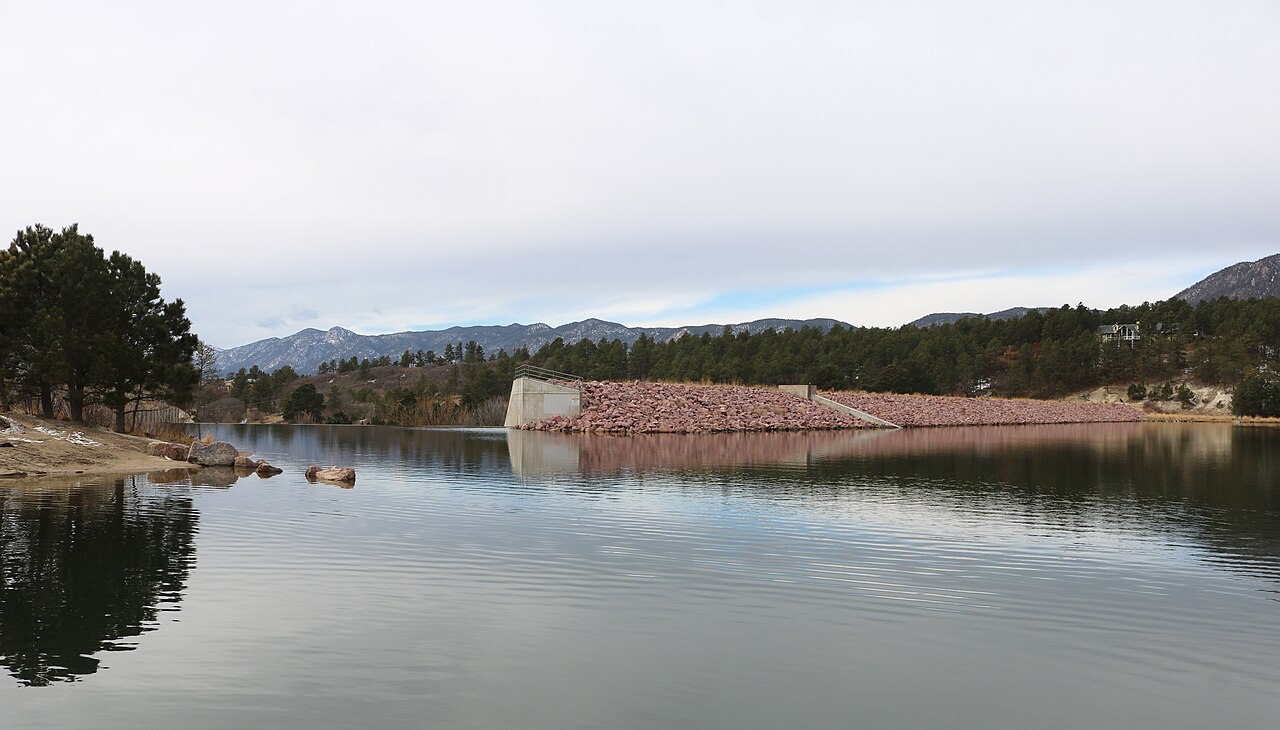
Monument Lake, its dam, pine-covered hills, and the Front Range near Monument, Colorado
Monument Lake in Monument, Colorado (2023).Photo: Jeffrey Beall. Source · CC BY 4.0. Framed to fit.

Plan for what comes next

Technology that can grow with the workplace

Monument identifies responsible community development as a current strategic priority, and the town describes its I-25 location as connected to both Colorado Springs and the Denver area. For a business opening, relocating, or adding staff, the practical technology question is how to build a consistent workplace without creating a tangle of one-off systems. Sources: Town of Monument Strategic Plan 2026–2028, Town of Monument: economic development.

The regional Tri-Lakes business community extends beyond Monument. The Tri-Lakes Economic Development Corporation includes Palmer Lake, Woodmoor, Gleneagle, and other nearby communities in its service region. We treat those places as distinct communities within a scheduled regional coverage plan. Sources: Tri-Lakes Economic Development Corporation: regional overview.

Turn the next business change into a practical technology roadmap

An expanding office can accumulate technology one decision at a time: a separate Microsoft 365 subscription bought by one manager, a conference-room account nobody owns, a firewall under an old provider login, and employee access that depends on a spreadsheet. Consulting starts by mapping the business decisions behind those systems. We document who owns the domain and Microsoft 365 tenant, which applications people rely on, how new employees receive access, what vendors are under contract, and which equipment is approaching a support or capacity limit. The review separates a current operating risk from an improvement that can wait for the next budget cycle.

The roadmap can then sequence work around hiring, a lease milestone, a provider renewal, or an internal IT workload. It may call for a focused Microsoft 365 cleanup, a network project, a meeting-room redesign, recurring managed support, or a shared support model with an employee who already handles technology. Each recommendation includes the dependency that makes it useful and the decision that must come first. For example, a display should not be selected before the meeting workflow is understood, and a new internet agreement should not be signed before the service address, construction responsibility, term, and handoff are confirmed. This gives leadership a plan they can budget and explain without buying every possible upgrade at once.

Use the first site visit to answer the questions that drawings cannot

Fiber connections and patch cables in a network rack
Network infrastructure for the systems your business depends on.

A useful on-site visit starts before anyone gets in the truck. We ask for the Monument, Palmer Lake, Woodmoor, or Gleneagle address, a floor plan if one exists, photos of the network area, and a short list of what staff cannot do today. That preparation lets the visit focus on the property: cable routes above finished ceilings, rack space and cooling, available power, wireless obstacles, carrier equipment, camera views, controlled doors, and the rooms where calls or presentations matter. It also helps us bring the right testing equipment and include the people who can approve access or answer building questions.

Some work can be handled remotely after the environment is documented, including user support, account changes, Microsoft 365 administration, and many configuration issues. Cabling, equipment replacement, Wi-Fi validation, camera positioning, door hardware, and meeting-room commissioning still require someone at the site. GTZ schedules those visits from Fountain around the agreed scope and property access. If a project involves a landlord, general contractor, electrician, furniture installer, internet carrier, or another specialty vendor, the written plan identifies their handoffs before installation begins. The result is a visit with decisions to make and acceptance checks to complete, rather than an open-ended walk through the building.

Connect identity, network, cameras, and doors without blurring ownership

Security is easier to operate when digital and physical access follow the same basic discipline. Every employee should have an individual account, the access needed for the role, an extra sign-in check on important services, and a defined offboarding step. The network should keep visitors and unmanaged devices away from business systems. Cameras need an agreed purpose for each view, and controlled doors need a clear record of who can issue, change, and remove credentials. GTZ can coordinate those pieces while keeping the system owners visible. A camera installer, software publisher, alarm company, landlord, or life-safety contractor may still have a separate responsibility.

Illustrative access groups
Access rulesOnly the connections each group needs
  • Team devicesStaff workstations and approved resources
  • Visitor accessA separate path for guests
  • Workplace systemsMeeting rooms, cameras, and doors

The site plan defines the actual groups and permissions.

For a Monument or Tri-Lakes workplace, discovery follows the way people actually use the site. We identify shared workstations, remote staff, conference-room devices, payment or scheduling systems, printers, cameras, access panels, and vendor connections. Then we decide which systems need to communicate and block unnecessary paths between them. The managed security plan can cover supported users and devices, while cameras, door access, and major network changes remain defined projects. Documentation records administrative access, equipment ownership, retention choices, vendor contacts, and the recovery path. That record matters during an employee departure, a provider change, an alarm review, or a lost device because the business does not have to reconstruct authority during the incident.

Decide what must return first before choosing a backup product

  • What needs to keep running?
  • What must be recoverable?
  • Who owns the next step?

A continuity plan starts with work, not hardware. A professional office may need client files, email, phones, scheduling, and a line-of-business application in a specific order. A customer-facing location may put internet access and payments ahead of less urgent office tasks. We document those priorities, where the data is stored, which vendor protects each system, who can authorize a restore, and what staff can do while a service is unavailable. That exercise usually exposes gaps that a backup status screen cannot show, such as a cloud application with no export plan or a recovery account tied to a former employee.

The technical design can include backup for the systems named in scope, protected administrative accounts, battery backup for selected network equipment, and a secondary internet option when the address and business case support one. None of those choices creates uninterrupted service by itself. Carrier diversity, signal, available capacity, equipment power, application behavior, and the failure being tested all affect the result. GTZ defines a realistic check for the enrolled systems: restore a representative file, confirm a replacement login, exercise the firewall changeover, or document the manual procedure staff will use. The final record names what was tested, what still depends on another vendor, and who makes the decision to recover.

Scheduled service across Monument and the Tri-Lakes communities

The Tri-Lakes business community reaches beyond one municipal boundary. GTZ plans on-site work from Fountain using the exact service address, requested outcome, site access, and people who need to participate. The place name helps us understand the region; the property determines the actual scope.

Monument

GTZ supports established Monument workplaces as well as offices preparing for a move, expansion, technology refresh, or provider change. Town planning identifies responsible community development as a current priority, which makes early coordination useful when a commercial project has carrier, cabling, power, construction, and technology handoffs. The site review establishes which existing systems can stay and what the planned change requires. Sources: Town of Monument Strategic Plan 2026–2028; Town of Monument: economic development.

Palmer Lake

Palmer Lake is a separate town within the broader Tri-Lakes region. Businesses there can request scheduled IT, network, camera, access-control, and AV work. We confirm the address and property conditions before setting the visit because a nearby place name does not establish the building layout, available carrier, or installation access. Sources: Tri-Lakes Economic Development Corporation: regional overview.

Woodmoor and Gleneagle

Woodmoor and Gleneagle are also named within the regional community served by the Tri-Lakes Economic Development Corporation. GTZ considers commercial and organizational sites in both communities through the same address-first process. Remote planning may come first, followed by a scheduled survey or installation when the work requires hands on the property. Sources: Tri-Lakes Economic Development Corporation: regional overview.

Workplace technology for the businesses that operate across Tri-Lakes

The system should follow the work performed at the site. These examples show where GTZ can contribute without assuming every organization in Monument or the surrounding communities operates alike.

Professional and local offices

Coordinate Microsoft 365, employee access, laptops, shared files, phones, printers, meeting rooms, and the office network. A managed plan can support named users and devices after ownership, security expectations, and vendor responsibilities are documented.

Explore support

Healthcare practices

Map front-desk, clinical, billing, identity, network, and application dependencies while keeping protected information out of planning notes. The practice and its software vendors remain part of recovery and support decisions.

Explore support

Construction and property teams

Plan office connectivity, plan-room or field access, cameras, controlled entry, and construction handoffs. During a buildout, pathways, power, rack space, and device locations should reach the trades before finishes close.

Explore support

Shops, restaurants, and community organizations

Separate customer access from office, payment, camera, and building systems. Define who calls each outside vendor, how staff report trouble, and what the local team can do when a connection, application, or device is unavailable.

Explore support

Projects we can scope

Start with the situation, then design the system

Examples of how GTZ can turn a business change into a scoped technology project in Monument and Tri-Lakes.

Plan a tenant improvement before walls close

Network and low-voltage choices become expensive to change after construction. GTZ can review the layout early and coordinate with the landlord, contractor, electrician, and internet provider.

  • Map outlets, access points, cameras, and doors
  • Define rack, power, and cable-path requirements
  • Plan internet turn-up and the move-in cutover

Onboard a growing team consistently

New employees should receive the same security and support baseline whether they sit in Monument, work from home, or visit another office.

  • Document device and account setup
  • Protect identity, email, endpoints, and backups
  • Create a repeatable joiner and leaver process

Make the meeting room part of the network plan

Displays, conferencing, room audio, and wireless presentation work better when power, cabling, acoustics, and network access are coordinated before equipment is ordered. We plan the network for the selected AV platform and test calls and content sharing alongside the normal office workload.

  • Start with room use and participant count
  • Assign responsibilities across trades
  • Test calls, content sharing, and controls at handoff

Illustrative engagement: bring an established office under clear ownership

An illustrative project. Your site assessment determines the final scope.

The situation

Consider a professional office in Monument with employees working from the main suite, from home, and occasionally from a second Tri-Lakes site. Its concern is ownership: Microsoft 365 was configured by a former employee, the firewall belongs to an old provider account, conference-room logins are shared, and nobody is certain which files are backed up. The first phase is discovery. GTZ records tenants, domains, administrators, subscriptions, devices, network equipment, vendors, data locations, and the staff workflows that cannot be interrupted. Missing access becomes an assigned task rather than a surprise during changeover.

The proposed approach

The written plan separates immediate corrections from later work. Administrative access and employee offboarding may come first. Network replacement can wait if the current equipment remains supportable and its configuration can be recovered. A meeting-room issue may require a focused assessment instead of an office-wide AV purchase. Once the environment is understood, the company can choose a managed plan, retain responsibility for selected systems, or use a co-managed arrangement. Changes are staged, tested with the staff who use them, and closed with current ownership records.

What the handover should make clear

  • A current register of systems, administrators, vendors, subscriptions, and support owners
  • A prioritized correction plan tied to business dependencies and budget decisions
  • Individual employee and room access with a documented joiner and leaver process
  • A chosen support model with project work and recurring responsibilities stated separately

How service works

Site work scheduled across the Tri-Lakes area

GTZ serves Monument and nearby Tri-Lakes communities from Fountain. Palmer Lake is a separate town, and Woodmoor and Gleneagle have their own site conditions. We use the actual address and project scope when planning a visit instead of treating the whole region as one neighborhood.

For moves and buildouts, early plans review can often happen remotely. We schedule the site walk, pre-wire checks, installation, cutover, and final testing around construction milestones and building access.

  1. 01

    Review the workplace plan

    Share drawings, lease milestones, staff count, room uses, and systems that must move or be added.

  2. 02

    Define every handoff

    The scope identifies what GTZ, the carrier, the landlord, and each trade must provide.

  3. 03

    Install, test, and document

    We verify the network and connected systems before staff depend on them.

Before we schedule

Questions about service in Monument and Tri-Lakes

Share the address and the outcome you need. We will use both to confirm the right next step.

Do you serve businesses in Palmer Lake and Woodmoor?

Yes. We include Palmer Lake, Woodmoor, Gleneagle, and nearby Tri-Lakes sites in scheduled coverage. We use the exact address and requested work to confirm visit timing and whether a project needs an initial survey.

Can GTZ plan the network while our office is still under construction?

Yes. We can review plans, locate the network rack and equipment, define cable paths, place Wi-Fi and security devices, and coordinate the internet handoff. A site walk confirms details that drawings cannot show.

Can one company support our IT, cameras, and door access?

GTZ can coordinate the business network, managed IT, cameras, and access control as one scope. During discovery we identify electrical, fire, permitting, landlord, or manufacturer dependencies that require another party.

Do you handle both managed IT and one-time network projects?

Yes. A defined installation can stand on its own, while managed IT adds ongoing user support, monitoring, maintenance, security, and documentation. We will recommend the model that matches the need presented.

Can you work with our internal IT employee or an existing remote support company?

Yes. A co-managed arrangement starts by naming who owns the help desk, Microsoft 365, devices, network, security tools, vendors, projects, on-site work, approvals, and escalation. GTZ can fill agreed gaps without displacing useful internal knowledge. The written service scope also makes exclusions visible, so a shared model does not become two providers assuming the other one handled the problem.

Will you replace all of our current equipment during an assessment?

No. We review condition, support status, administrative access, capacity, configuration, security, and compatibility before recommending replacement. Equipment that remains reliable and fits the agreed design can stay. The proposal identifies what will be reused, what needs correction, what should be replaced, and which future trigger would cause the business to revisit that decision.

Start with a real property and goal

Plan your Monument and Tri-Lakes technology project

Tell us what is changing, what is not working, and where the work needs to happen. We will help define the next useful step.

Call (719) 203-7752