Conference Room AV | Colorado Springs & Southern Colorado
Conference Room AV Installation
in Colorado Springs
Not room rental. Installation. We design, wire, and install conference rooms that join Microsoft Teams, Zoom, or Google Meet with one touch, hear every seat at the table, and get supported after the install by the same local crew that built them.
Installed, Not Rented
We Build Conference Rooms. In Your Building. Permanently.
Search for conference room AV in Colorado Springs and half of what comes back is hourly meeting-room rentals. This is the other thing. GTZ installs the room itself: the audio and video gear that lives in your own office and works every morning, the displays, microphones, cameras, speakers, and control. It is part of our broader commercial AV design and install practice, and it exists because most conference rooms in this town were assembled, not designed. A consumer TV, a webcam balanced on top, a speakerphone covering half the table. We serve Colorado Springs, Fountain, Pueblo, and the I-25 corridor between them, and the crew that installs the room can run the UniFi network underneath it too, when you want one company handling both.
- One-touch join for Microsoft Teams, Zoom, and Google Meet over a single driverless USB connection
- Audio engineered to the room and tuned on site after the install
- One fixed-price quote after a free walkthrough. No pricing off a shelf, no hourly open end
Room by Room
Every Room Size Is a Different Build
A huddle room and an all-hands space share almost nothing but the word room. Camera count changes, microphone strategy changes, display size changes, and past a certain room size the audio needs reinforcement or the back row checks out. These are the builds we scope.
Huddle rooms
Two to five people around one display, sized tight, with a wide-angle camera and a join that stays one touch.
Standard conference rooms
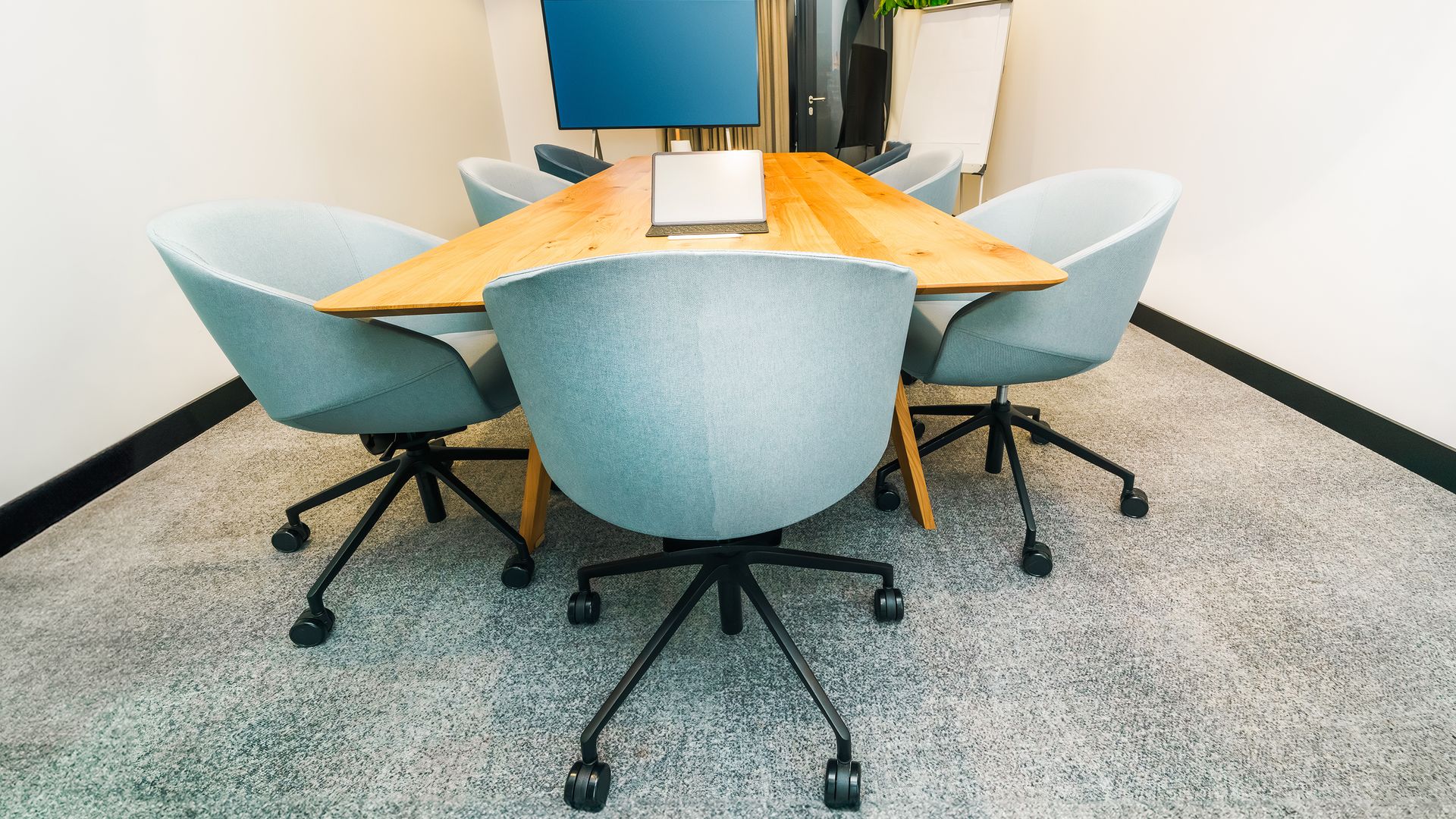
The six-to-twelve seat workhorse. A properly placed camera, microphones matched to the table, and audio tuned so the far end gets clean voices.
Boardrooms
Longer tables, higher stakes, sight lines that matter. Dual displays so content and faces stop fighting for one screen, with mic coverage worked out seat by seat.
Training rooms
Rows of seats, a presenter who moves, often a remote instructor. Voice reinforcement carries the presenter to the back row, and the controls stay simple enough that any instructor can run them.
Divisible rooms
One room in the morning, two after lunch. Audio and video have to follow the air wall, combine cleanly, and split back without anyone touching a rack. Harder than it looks.
All-hands spaces
The whole company in one room, plus everyone remote. Multiple cameras with automatic switching, reinforced audio, and one clean feed the remote side can follow.
One-Touch Join
Teams, Zoom, and Google Meet, Started With One Touch
The test of a conference room is the first thirty seconds. We build rooms that pass it. Our rooms integrate with Microsoft Teams, Zoom, Google Meet, or any modern unified communications platform over a single driverless USB connection, so a laptop sees the room the way it sees a headset: one cable, and the room's microphones, cameras, and speakers belong to the call. For rooms that host the same platform every day, a touch panel on the table starts the scheduled meeting with one tap, once the room is licensed as a room on your platform. In larger rooms, automatic multi-camera switching follows whoever is speaking and sends the far side one clean feed it can actually follow.
- Microsoft Teams, Zoom, and Google Meet over one driverless USB connection
- One-touch join from a table panel, so the meeting starts on the tap
- Automatic multi-camera switching in larger rooms, one clean feed to the far side
- Bring-your-own-laptop and dedicated room modes, matched to how each room is used
Audio That Gets Tuned
Echo Cancellation We Tune in Your Room After the Install
Bad conference audio is almost never the microphone's fault alone. It is the room. Glass walls, a hard table, and parallel drywall bounce sound back into the mics, and the far end hears themselves half a second late. The fix is acoustic echo cancellation (AEC), digital signal processing (DSP) that subtracts the room's own speaker output from what the microphones pick up. Every platform claims it. The difference is tuning. We tune the audio chain to the actual room after installation, with the mics in their final positions and the real surfaces doing their real damage. And mic placement is engineered to where people sit, before we pull a single cable. Not every room needs the full treatment. For a small huddle space the honest answer is sometimes a good all-in-one bar rather than a rack, and we drew that line in whether your boardroom needs a DSP or a video bar.
- Acoustic echo cancellation (AEC) tuned on site to the finished room
- Table or ceiling microphones positioned to the seating, engineered before install
- Speech reinforcement in training and all-hands rooms so the back row stops leaning in
- Audio verified from every seat before we call the room done
Displays & Scheduling
Displays Sized to the Room, Scheduling Panels at the Door
Colorado sun does real damage to a screen. At this altitude a west-facing wall of glass will wash a consumer TV to a gray mirror by mid-afternoon, one of several reasons we spec commercial displays: brighter panels, matte finishes, duty cycles rated for all-day operation. We size the screen to viewing distance so the far end of the boardroom table can still read a spreadsheet. Outside the door, a scheduling panel ties into your room calendar and shows red or green at a glance, which ends the walk-in interruptions and the hallway arguments about who booked the room.
- Commercial displays specified for brightness, glare, and all-day duty
- Single or dual displays sized to seat count and viewing distance
- Room scheduling panels wired to your calendar, red or green from down the hall
- Clean mounting and concealed cabling, no drooping wires under the screen
Put the Cabling in Before the Drywall
The cheapest day to wire a conference room is the day before drywall. Conduit, back boxes, display blocking, and cable pathways cost almost nothing while the studs are open, and they are the expensive, dusty part of a retrofit later. If you are building out or finishing a space anywhere along the I-25 corridor, we would much rather walk it at the framing stage than cut into a finished wall in a year. We coordinate with your general contractor (GC), show up at rough-in, and pull the AV cabling alongside the network drops in one mobilization, including the power over Ethernet (PoE) runs that feed touch panels and cameras. And construction technology is one of GTZ's core practices across Southern Colorado, so trade coordination is built into how we scope the work.
- Rough-in coordination with your GC on new construction and tenant finishes
- AV cabling pulled alongside network drops in one mobilization, one crew
- Conduit and back boxes placed from the room design
- PoE runs for touch panels, cameras, and scheduling panels
The Platform Underneath
One Core, One Network, One Team to Call
We design conference rooms in Q-SYS Designer Software and build them on Q-SYS, a software-based platform where one Q-SYS Core runs the audio, the video, and the control for the room. Fewer boxes, fewer handoffs, one place to look when something misbehaves. Q-SYS speaks standard IT protocols and its network loudspeakers run over standard Ethernet, so the room can ride on the UniFi network we install and manage, when you want one company running both. Run it that way and there is no AV company blaming the IT company while you sit in a silent room; both phone calls are the same phone call. Already have a network you like? It stays, and we assess it on the walkthrough so you know exactly what it needs to carry AV traffic. The longer story lives on the Q-SYS platform page. After the install, our monthly AV support plans add remote device-health monitoring, so a failing component gets flagged from our side, often before anyone in your office finds it. Support plans are scoped and priced during the walkthrough, like everything else.
The Free Walkthrough
What We Actually Measure Before We Quote
No price on this page is a policy, not an evasion. Rooms differ too much for shelf pricing to be honest, so the number comes after we have stood in yours. The walkthrough is free, it happens in your building, and it ends with a fixed-price quote. Want a rough sense of scope first? Start with our online estimate and we will refine it in the room. Here is what we measure.
Acoustics
We listen to how live the room is and find the surfaces that will throw echo back into the microphones.
Sight lines
What every seat can see, and whether the room needs one display or two.
Microphone coverage
Where people actually sit, so pickup gets engineered to the seating.
Light and glare
We check window orientation against the hard high-altitude sun, which washes out weak displays by mid-afternoon.
Pathways
Ceiling type, conduit routes, network drops, and what the install takes in your building.
FAQ
Conference Room Questions, Answered Straight
Do you rent conference rooms?
No. We build them. GTZ is an installation company: we design, wire, and install the displays, microphones, cameras, and control in your own conference room, then support the system after it goes live. If you searched for a room to rent by the hour, this is not that page. If you are renting rooms because your own room cannot carry a video call, it absolutely is.
Does the room work with Microsoft Teams, Zoom, and Google Meet?
Yes, all three, plus any modern unified communications platform. The room connects over a single driverless USB cable, so a laptop sees the room's microphones, cameras, and speakers the way it sees a headset. No software to install, no dongle drawer. Rooms set up as dedicated room systems can also run a one-touch join panel, so nobody plugs in at all. We sort out which rooms are worth licensing that way on the walkthrough.
What does a conference room AV installation cost?
We do not put prices on this page, because a four-person huddle room and a divisible training room that seats forty are completely different builds. The motion is simple instead: we do a free on-site walkthrough, measure the room, and hand you one fixed-price quote. No hourly open end, and no number invented before we have actually seen the space.
Can you rough in the AV before the drywall goes up?
Yes, and please ask us to. Conduit, back boxes, and cable pathways cost very little while the studs are open and a great deal after the room is finished. We coordinate with general contractors on new construction and tenant finishes along the I-25 corridor so the cabling is in the walls before the drywall crew shows up.
We already have a TV and a webcam. Can you reuse them?
Sometimes. A commercial display bright enough for the room and a camera that actually covers the table can often stay. The walkthrough sorts this out honestly: we tell you what is worth keeping, what is quietly fighting you, and what the difference costs, before you commit to anything.
Who supports the room after the install?
We do, from right here in Southern Colorado. Our monthly AV support plans add remote device-health monitoring, so a failing microphone or a display that drops off the network gets flagged before your Monday meeting finds it. And when we run the network under it too, there is nobody left to point fingers when a call drops. If you already have a network you like, the walkthrough tells you exactly what stays and what needs an upgrade.
The enterprise tools we deploy and manage
Book a Free Conference Room Walkthrough
We will stand in your room, measure what matters, listen to how your team meets, and hand you one fixed-price quote for a room that starts on time. Colorado Springs, Fountain, Pueblo, and the I-25 corridor.
Schedule a Free WalkthroughNot ready to put it on a calendar? Send us a message and we will follow up.