Search "digital signage installation" from Colorado Springs and the first page is mostly sign shops. Vinyl, channel letters, banners, vehicle wraps. Those are good companies doing honest work, and if you need a lit sign over your storefront, one of them is exactly who you should call.
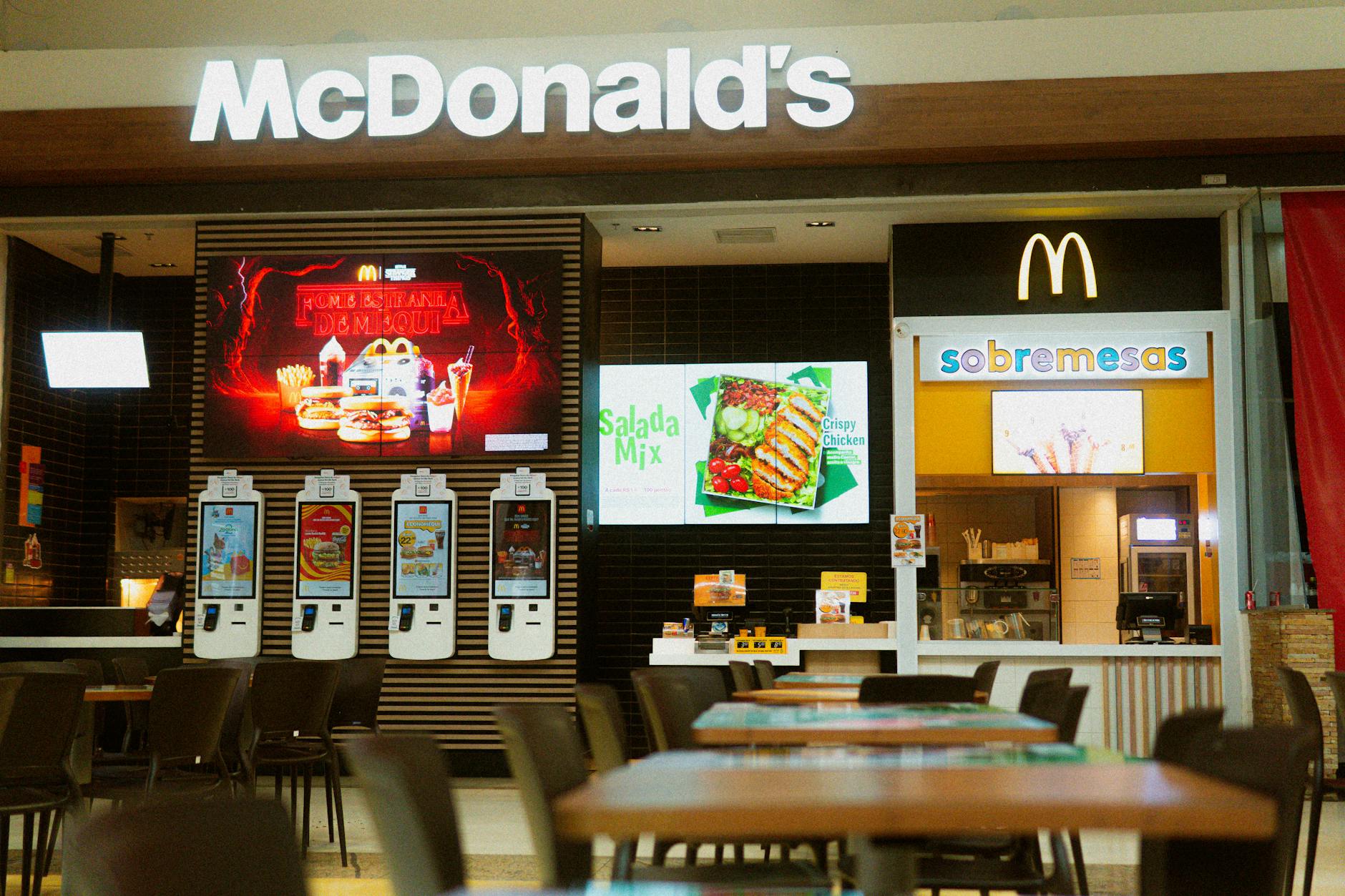
But that is usually not what a restaurant or shop owner means by that search. You mean screens. A menu board above the counter, a welcome display in the lobby, a safety board out on the floor. And screens are not a print product. They are a small network wearing a TV costume, which makes them an IT install.
Two different trades, one search result
A sign shop's product is physical. They design it, fabricate it, hang it, and the job is finished. The sign works because it exists.
A screen system never reaches finished. Displays have to stay on, content has to change, media players crash at 2 a.m., and someone has to notice. The product is not the glass on the wall. It is the years of uptime after the install truck leaves.
Neither trade is better. They are different, the way a painter and an electrician are different. Trouble starts when a screen system gets bought like a sign: pick a TV, hang it, walk away.
What a commercial digital signage installation actually includes
There are six parts, and the display is honestly the least interesting one.
Yes, the display matters. Commercial panels are rated to run all day, every day, while consumer TVs are designed for roughly eight hours of viewing a day, according to Samsung, which also puts consumer sets at 250 to 400 nits of brightness against as much as 2,500 nits for commercial glass. That gap matters here. Southern Colorado sun pouring through a south-facing window will wash a consumer panel into a gray mirror by early afternoon, and our sun does not take many days off.
Behind the display sits a media player. Behind the player sits a content management system (CMS), the software that decides what plays on which screen and when. Around all of it: cabling that can survive a kitchen ceiling or a dusty shop, a network that keeps your screens away from guest Wi-Fi, and remote monitoring so a human finds out the moment something dies.
That last piece is the whole ballgame. And it is the piece nobody mentions at the big-box checkout.
What breaks when signage is done as TVs and USB sticks
We get the appeal. A 55-inch TV is cheap, a USB stick is nearly free, and the whole thing works great on day one. Plenty of counters between Fountain and Pueblo are running exactly this setup right now.
Then the problems arrive on a schedule. The menu image never moves, so the panel starts to retain it, and a ghost of your old prices sits behind everything you play next. Manufacturers know consumer panels were never meant for static content around the clock, which is why consumer TV warranties are typically voided the moment the set is used in a commercial environment, as display maker AG Neovo notes in its buyer's guidance. The screen that burns in a year from now was never covered.
Updates rot next. Changing one price means pulling the stick, finding the laptop with the original file, editing it, and walking the stick back out front. So updates quietly stop. The "limited time" offer is from March. Customers notice before you do.
And then there is the failure you never see. A player locks up mid-shift, the screen goes black, and every tool you own says everything is fine. Display maker MWE Display calls this silent downtime, and the point is hard to argue with: a CMS "proves a campaign was scheduled. It cannot prove the screen is still healthy in the field."
The content calendar says your promo is running. The screen above the counter has been black since Tuesday. That gap is the entire argument for monitoring the screens, not just the content.
A monitored installation closes that gap. The system checks in with every player, flags a dark screen, restarts a hung device remotely, and opens a ticket before your first customer orders coffee under a blank display.
Menu boards are working screens, not decoration
For restaurants, the strongest case is dayparting: the board rearranges itself on a schedule. Breakfast until 10:30, lunch after, happy hour pricing at 3. No ladders, no laminated inserts, no forgetting.
The numbers back it up. A Forrester Total Economic Impact study, summarized by OptiSigns, modeled a fictional 150-location chain putting outdoor drive-thru boards in 10 stores and projected lifts of up to 38 percent on promoted items, with order accuracy going from about 94 percent to 98 percent. Drive-thru numbers are not counter numbers, so take that as direction rather than a promise. A good board is your hardest-working salesperson, and it never calls in sick.
There is a practical bonus for hospitality owners. Menu boards live in the same low-voltage world as your restaurant and bar audio: same rack, same network, often the same install visit. If you are already fixing the sound, the screens are a short conversation away.
Safety boards put screens where the work happens
This is not only a hospitality tool. Machine shops, fabricators, and warehouses along the Pueblo corridor share a communication problem email cannot fix: most floor workers do not sit at a computer, and many cannot carry a phone on shift.
A screen at the time clock changes that. Days-since-incident counters, shift handover notes, production targets, safety reminders, all updated from the office and visible to everyone who badges in. When conditions change, the board changes in seconds, not whenever someone remembers the corkboard.
So who do you call?
If you need channel letters, a monument sign, or window vinyl, call a sign shop. That is their craft and they are genuinely good at it.
If you need a menu board that flips at 10:30, a lobby screen that pulls from a calendar, or safety boards across three buildings, you need commercial displays, media players, a CMS, structured cabling, and someone watching the network. That is audio and video (AV) design and installation work, and it sits next door to managed IT because it is managed IT.
GTZ Integrations builds signage this way for businesses in Fountain, Colorado Springs, and Pueblo: designed as a system, installed as a network, and monitored so a dead screen becomes our problem before it becomes yours.
Free Consultation
Questions About Your IT?
Book a free assessment with Efrain. No sales pitch, no obligation.
Get Your Free Assessment